


What Video Conferencing Equipment Sydney Businesses Actually Need for Effective Meetings
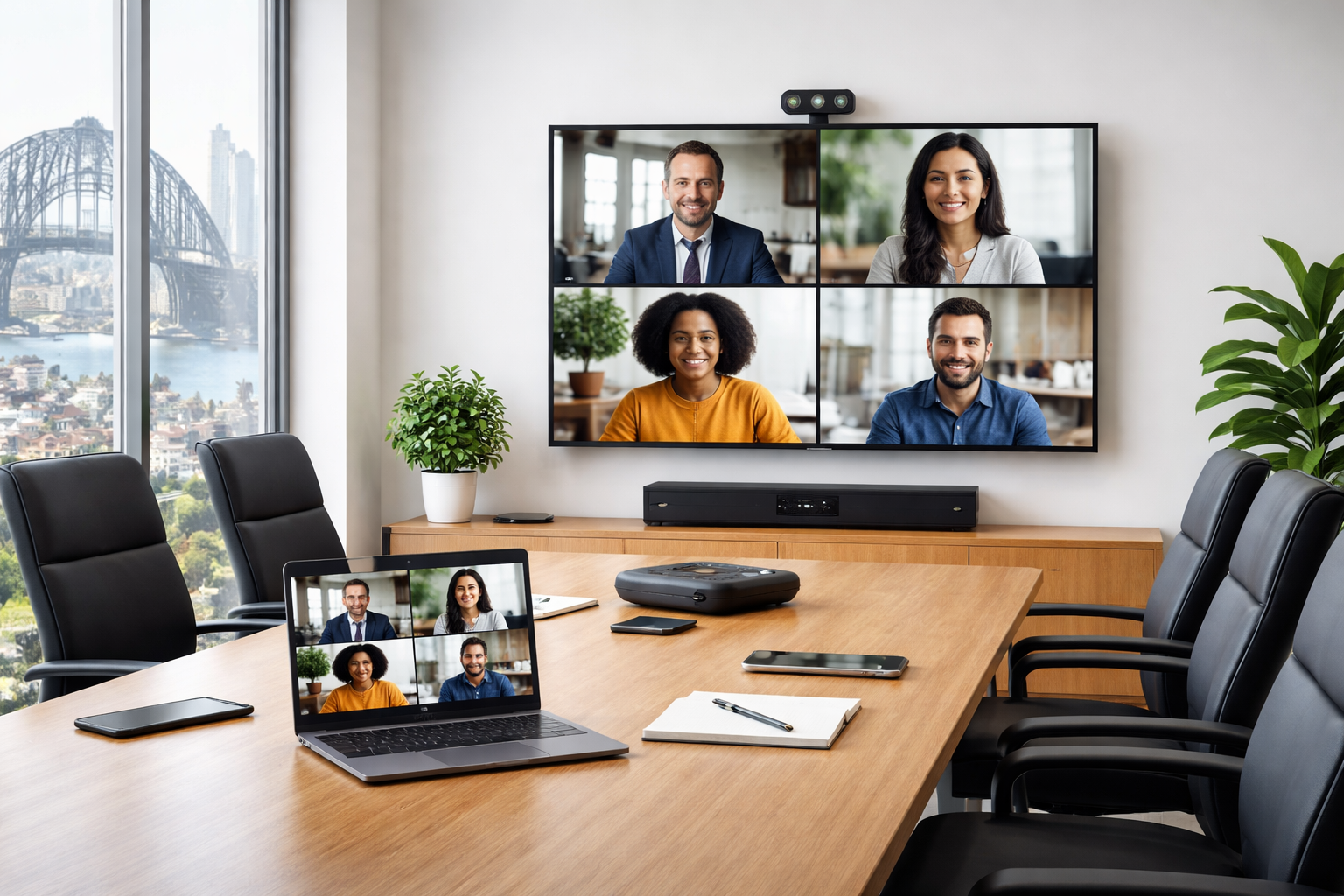
Most Sydney businesses do not have a video conferencing problem. They have a mismatch problem. The camera is designed for two people but the room seats eight. The speakerphone works fine for the person sitting next to it and poorly for everyone else. The display is the right brand but the wrong size for the viewing distance.
The equipment exists. The investment has been made. The meetings still do not work properly.
The fix is rarely buying more technology. It is buying the right technology for the specific room it needs to serve. This guide breaks down exactly what video conferencing equipment Sydney businesses need across the three environments where the mismatch occurs most often, huddle spaces, medium meeting rooms, and boardrooms.
Three Questions to Answer Before Selecting Any Equipment
Room size is the starting point, but three questions need clear answers before any hardware decision is made.
How many people will regularly use this room? Not the maximum capacity, the typical headcount for the meetings this room is designed to support. Equipment specified for two to four people will underperform in a room that regularly seats eight.
What platform does your business run on? Microsoft Teams, Zoom, and Google Meet each have certified hardware ecosystems. Selecting equipment that is not certified for your platform introduces compatibility problems that no amount of troubleshooting will permanently resolve.
Who manages the room when something goes wrong? A system that requires IT intervention every time the connection drops is not a functional meeting room. The complexity of the setup needs to match the technical capability of the people managing it day to day.
With those answers in hand, the room-by-room guidance below becomes a direct decision framework rather than a general overview.
1. The Huddle Space
A huddle space is a small room or enclosed area designed for two to six people. In Sydney offices these are typically booths, glass-walled pods, small breakout rooms, or repurposed corners used for quick catch-ups, one-on-one check-ins, and short collaborative sessions. The room is small, the ceiling is often low, and the distance between participants and the display is short. These physical characteristics determine the equipment that belongs here.
A huddle space does not need a large display. A screen between 55 and 65 inches is typically adequate for the viewing distances involved, though the right size depends on the specific room dimensions. What matters as much as size is mounting position, the screen needs to be at eye level for seated participants, positioned so the camera above or below it captures faces rather than foreheads or ceilings.
Commercial-grade display screens are strongly recommended over consumer televisions for any meeting room environment. They are built for extended daily operating hours, carry longer commercial warranties, and handle the connection and control requirements of a professional AV setup far more reliably than a consumer panel in the same position.
Camera
A compact wide-angle camera mounted directly above or below the display is usually sufficient for a huddle space. The key specification is field of view, wide enough to capture the full width of a small room without distortion. PTZ cameras are generally unnecessary at this scale and add cost and complexity the room does not require.
The most common camera mistake in huddle spaces is mounting height. Eye-level mounting, or as close to it as the display configuration allows, produces a noticeably better experience for remote participants.
Audio
Audio is where most huddle space setups either work well or fall apart. In a small room, a quality conference speakerphone placed centrally on the table, or a compact soundbar with an integrated microphone array mounted below the display, is typically sufficient.
The room is small enough that a single device can cover all participants without significant drop-off in pickup quality.
The most important audio consideration in a huddle space is room acoustics. Hard surfaces, glass walls, polished floors, bare ceilings, reflect sound and make audio quality noticeably worse for remote participants.
Soft furnishings or acoustic panels absorb those reflections. This is a room design consideration as much as an equipment one.
Huddle Space Summary
A functional huddle space setup requires a commercial display at the right size for the room, a wide-angle camera at or near eye level, a centrally placed speakerphone or integrated audio bar, and a compact compute device or room kit running your chosen platform.
The entire setup should be operable by any staff member without technical assistance.
2. The Medium Meeting Room
A medium meeting room seats between six and twelve people and is used for team meetings, project reviews, client presentations, and training sessions. These rooms are the workhorses of the Sydney corporate environment, used by more people, more often, and for more varied purposes than any other room type.
The equipment requirements are more demanding than a huddle space because the room is larger, the participant count is higher, and the meetings are more formally structured.
A medium meeting room typically requires a display between 75 and 86 inches, with the specific size determined by room dimensions and the furthest viewing distance from the screen.
Dual display configurations, one screen for the video call, one for shared content, are increasingly common and significantly improve hybrid meeting usability. Local participants can see remote attendees and the content being presented simultaneously without splitting attention across a single screen.
Display brightness matters more in medium meeting rooms because ambient light conditions are more variable. A screen that performs well in a dim room may be difficult to read clearly in a glass-walled space in direct afternoon light.
Commercial display screens rated for higher brightness output address this directly and maintain readability across different lighting conditions throughout the day.
Camera
A medium meeting room requires a PTZ camera, one that can pan, tilt, and zoom, rather than a fixed wide-angle unit. The wider room means a standard camera cannot reliably capture all participants without distortion, and the greater distance from the display means facial detail matters more for remote participants trying to read the room.
Auto-framing cameras that track active speakers are increasingly common at this room level and reduce the need for manual camera adjustment during meetings.
Camera placement requires more planning than in a huddle space, the camera needs to capture the full length of the table without awkward angles and at a height that produces an eye-level perspective for remote participants.
Audio
Audio in a medium meeting room is the most technically demanding element of the setup. A single speakerphone placed in the centre of a long conference table provides adequate pickup for nearby participants and inconsistent pickup for those at either end.
For rooms seating more than eight people, a ceiling microphone array or multiple tabletop microphone pods distributed along the table are significantly more effective.
The principle is consistent coverage. Every person in the room should be picked up at a comparable volume regardless of where they are seated.
Achieving this requires either a microphone system with enough coverage to span the full table, or multiple units managed through a DSP that balances and processes audio before it reaches the call.
Medium Meeting Room Summary
A well-specified medium meeting room requires a commercial display or dual display configuration at the right size, a PTZ or auto-framing camera with proper mounting, a distributed microphone solution covering the full table, a room compute device or kit certified for your platform, and a control panel that lets participants start and manage calls without technical assistance.
Professional installation at this level is not optional, it is what makes the difference between a system that works consistently and one that requires weekly IT intervention.
3. The Boardroom
A boardroom is a high-stakes meeting environment. It seats twelve or more people and is used for executive meetings, board presentations, client pitches, and company-wide communications. When technology fails in a huddle space it is inconvenient. When it fails in a boardroom during a client presentation or executive meeting, the consequences are reputational and commercial.
Boardroom AV systems are not simply larger versions of medium meeting room setups, they are purpose-designed systems that integrate multiple components into a single, seamless experience.
A boardroom display configuration depends on room dimensions, seating layout, and primary use cases. Options range from a single large-format display of 86 inches and above, to dual displays, video walls, or projector-and-screen configurations for rooms with specific presentation requirements.
Every seated participant needs a clear, unobstructed sightline to the primary display. A screen perfectly sized for participants near the front of a long boardroom table may be too small for those at the far end to read clearly. Display sizing in a boardroom should be determined by the furthest viewing position, not the average one.
For boardrooms used regularly for hybrid meetings, commercial display screens in a dual configuration that separates the video call from shared content produces significantly more natural meeting dynamics.
Camera
A boardroom camera system needs to capture a large room and a long table reliably and professionally. This typically means a professional PTZ camera, or multiple cameras in larger rooms, with sufficient optical zoom to bring remote participants close to individual faces when required.
Auto-tracking and auto-framing capabilities are particularly valuable in boardrooms because they eliminate the need for a dedicated operator to manage the camera during meetings.
A system that automatically frames the active speaker, or switches between a wide room shot and a closer framing of the current presenter, keeps the remote experience professional without adding operational complexity for the people in the room.
Audio
Boardroom audio is the most technically complex element of any corporate video conferencing setup. A boardroom audio system typically requires ceiling-mounted microphone arrays, a Digital Signal Processor to manage gain, echo cancellation, and noise reduction across multiple microphone zones, and a speaker system that delivers clear audio for both in-room participants and remote attendees.
The integration between the microphone system, the DSP, and the video conferencing platform is where most boardroom audio failures originate.
Components that work well individually can interact poorly if they are not specified and configured as a system. This is the primary reason professional specification and installation is essential at the boardroom level.
Control System
A boardroom AV setup requires a control system that allows meeting participants to manage all room technology from a single intuitive interface, typically a touch panel at the table or wall. Starting a call, adjusting volume, selecting inputs, controlling the display, and managing room lighting should all be accessible from one panel without technical knowledge. A well-designed control system makes a technically complex room feel simple to operate.
Boardroom Summary
A professional boardroom setup requires a purpose-specified display configuration, a professional PTZ camera system with auto-tracking, a distributed ceiling or tabletop microphone system managed through a DSP, a professional in-room speaker system, a dedicated room compute device certified for your platform, and a centralised control system with intuitive touch panel operation.
Installation is the element that makes all individual components function as a coherent, reliable meeting environment.
The One Thing All Three Room Types Have in Common
Across all three room types, the single most consistent factor separating setups that work reliably from those that do not is professional installation.
Equipment that is correctly specified but incorrectly installed, wrong cabling, inadequate mounting, misconfigured software, unmanaged component interference, will not perform to its rated capability.
For Sydney businesses investing in video conferencing equipment across one room or twenty, professional installation by an experienced AV team converts the hardware investment into a functional, reliable meeting environment.
Common Mistakes Sydney Businesses Make
Selecting equipment without considering room size is the most frequent and consequential mistake. A camera or microphone specified for a small room will underperform in a larger one regardless of positioning.
Prioritising the display and neglecting audio is the second most common error. Remote participants experience meetings almost entirely through sound. Poor audio makes meetings genuinely difficult to participate in. It deserves equal, or greater, investment than the visual components.
Choosing equipment not certified for the business’s platform introduces compatibility problems that persist regardless of configuration changes. Platform certification is a non-negotiable requirement.
Using consumer-grade hardware in commercial environments creates reliability and longevity problems. The initial cost saving is typically consumed by early replacement and maintenance costs.
Treating installation as a DIY task underestimates the technical complexity of a properly integrated AV system and produces setups that work inconsistently and generate ongoing support requests.
Speak With Sydney Audio Visual Specialists About Your Meeting Room
Primary CTA: Ready to upgrade your huddle space, meeting room, or boardroom with the right video conferencing equipment? Contact Sydney Audio Visual Specialists to request a quote or book a consultation tailored to your space. Contact Sydney Audio Visual Specialists
Secondary CTA: Not sure which setup suits your room or platform? Speak with the team for honest, practical advice before you commit to any equipment or installation. Get in touch today
Frequently Asked Questions
What video conferencing equipment do Sydney businesses need for a huddle space? A huddle space needs a commercial display at the right size, a wide-angle camera at eye level, a centrally placed speakerphone or audio bar, and a compute device running the business’s chosen platform.
Why does audio matter more than video in a video conferencing setup? Remote participants experience a meeting almost entirely through sound. Poor audio, dropped words, echo, inconsistent pickup, disrupts communication and causes remote participants to disengage. Poor video is an inconvenience.
Do I need platform-certified video conferencing equipment? Yes. Microsoft Teams, Zoom, and Google Meet each have certified hardware ecosystems, and equipment certified for one platform is not always fully compatible with another. Confirming certification before purchase is essential.
What is a PTZ camera and when do I need one? A PTZ camera can pan horizontally, tilt vertically, and zoom optically without being physically repositioned. PTZ cameras are recommended for medium meeting rooms and boardrooms where the room is too wide for a fixed wide-angle camera to cover all participants effectively, or where the meeting format requires the camera to focus on individual speakers or presentation content at different times.
Should I use consumer or commercial-grade display screens for a meeting room? Commercial-grade screens are strongly recommended for any corporate meeting room. They are designed for extended daily operating hours, carry longer warranties, and meet the integration requirements of professional AV systems.
How important is professional installation for video conferencing equipment? Professional installation is essential for any meeting room above the most basic huddle space. Correct mounting, commercial-standard cabling, platform configuration, and component integration all require technical expertise that produces measurably better and more reliable results than self-installation.
Can existing AV equipment be integrated with a new video conferencing setup? In many cases yes, existing displays, speakers, or control systems can be incorporated depending on their age, condition, and compatibility with the chosen platform and new components. An AV assessment of the existing equipment is the most reliable way to determine what can be retained and what needs replacing.
What ongoing maintenance does video conferencing equipment require? Video conferencing equipment requires periodic hardware checks, firmware and software updates, cable and connection integrity checks, and camera and microphone calibration to maintain consistent performance.
About Sydney Audio Visual Specialists
Sydney Audio Visual Specialists provides tailored audio visual solutions including AV equipment hire, product sales, installation, repair, and maintenance. The team supports a wide range of client types and environments, including schools, boardrooms, hotels, meeting rooms, auditoriums, showrooms, commercial shopfronts, and corporate facilities, with a focus on reliable service and honest advice.