



A Practical Guide to a Hybrid Meeting Room Setup That Actually Works

Every Australian office has at least one meeting room that does not work properly for hybrid meetings. The camera cuts off half the room. The microphone picks up the air conditioning better than the people speaking. Remote participants sit in silence while the in-room team has a perfectly productive conversation without them. The meeting ends,…
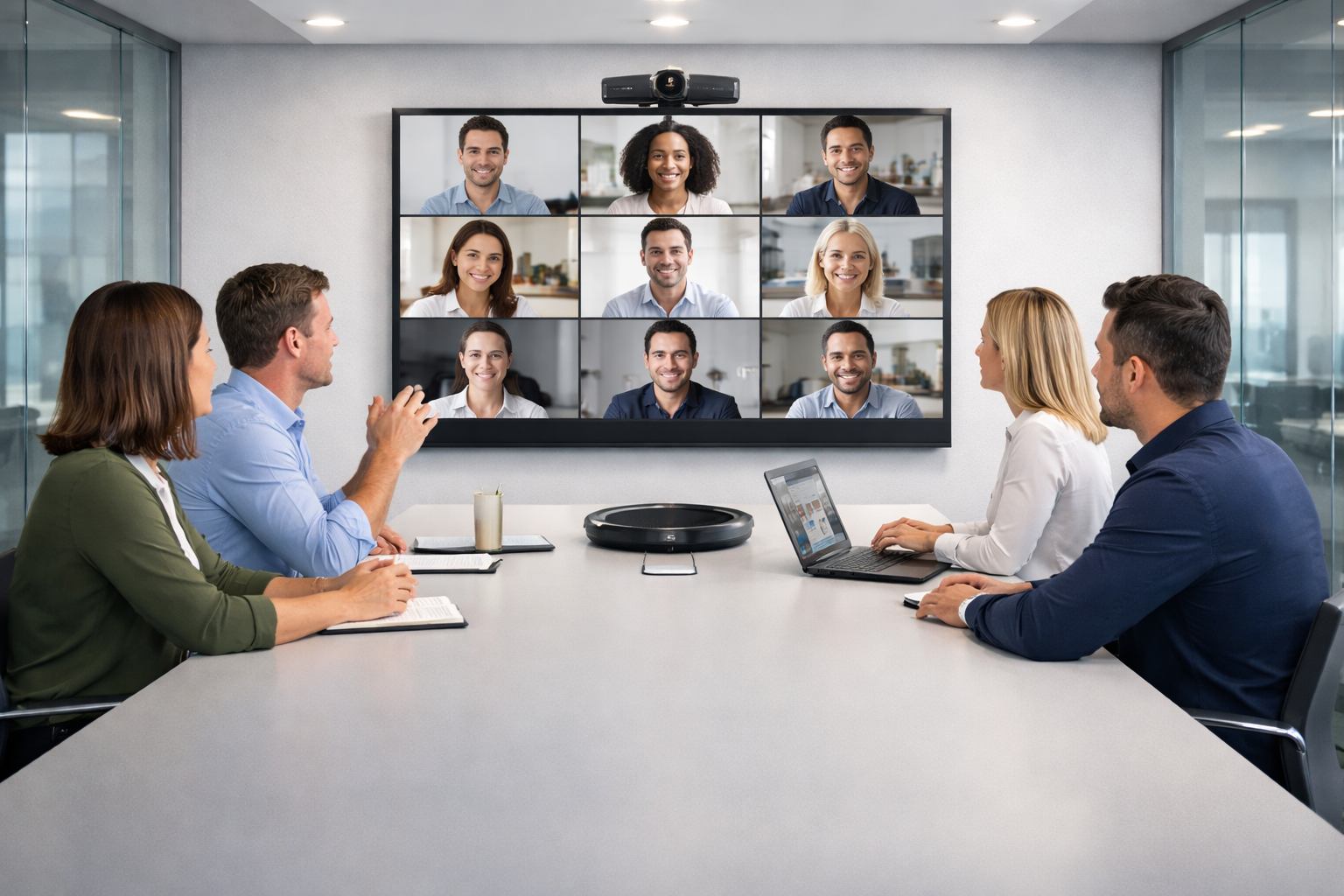
Every Australian office has at least one meeting room that does not work properly for hybrid meetings. The camera cuts off half the room. The microphone picks up the air conditioning better than the people speaking. Remote participants sit in silence while the in-room team has a perfectly productive conversation without them. The meeting ends, everyone moves on, and nobody fixes the room.
The problem is almost never a lack of investment. It is a lack of planning. A hybrid meeting room that works reliably is not the result of buying the most expensive equipment, it is the result of making deliberate decisions about cameras, microphones, acoustics, lighting, and how all of those elements work together as a system rather than as a collection of individual components.
This guide covers each of those decisions in practical terms, in the order they should be made, for Australian businesses that want a hybrid meeting room setup that functions consistently from day one.
Start With the Room, Not the Equipment
The single most common planning mistake is choosing equipment before understanding the room. Camera and microphone specifications mean nothing in isolation, they mean everything in the context of the specific space they need to perform in.
Before selecting a single piece of hardware, four room characteristics need to be clearly understood.
- Room dimensions. The length, width, and ceiling height determine the camera field of view required, the microphone coverage area needed, the appropriate display size, and the acoustic treatment the space will require. A room that is six metres long has fundamentally different equipment requirements than one that is three metres long, even if both seat the same number of people.
- Seating layout. Where people sit relative to the camera, microphone, and display determines whether the system can capture and reproduce them reliably. A long narrow room with participants at either end of the table presents different challenges than a square room where everyone sits within two metres of the screen.
- Ambient light conditions. Where natural light enters the room, at what times of day, and from which direction directly affects camera performance and display readability. A room with floor-to-ceiling windows facing west creates very different lighting challenges in the morning than in the afternoon.
- Existing infrastructure. What cabling, power points, ceiling mounts, and network connectivity already exist in the room determines how much of the installation is straightforward and how much requires additional work.
None of this requires a technical assessment to understand. It requires someone to spend twenty minutes in the room with a measuring tape and a critical eye before a single equipment conversation takes place.
- Get the Display Right for the Room
The display is the element of a hybrid meeting room that remote participants appear on and that local participants reference during the meeting. Getting it wrong affects every person in every meeting the room hosts.
Size Is Determined by Viewing Distance, Not Budget
The most reliable rule for display sizing is straightforward: the furthest seated participant should be able to read standard-sized text on the screen without straining. In practical terms, a room where the furthest participant sits four metres from the screen typically requires a display of at least 75 inches. A room where the furthest participant sits six metres away requires 86 inches or larger.
Undersizing the display is a compromise that affects every meeting, it is worth getting right from the start.
Single Display vs Dual Display
A single display forces local participants to choose between watching remote attendees and watching the content being presented. In most hybrid meetings, both matter — and that friction accumulates across every session the room hosts.
A dual display configuration solves this directly. One screen shows the video call. The other shows the shared content. Local participants can maintain natural attention toward remote attendees while simultaneously referencing the material being discussed. The meeting dynamic is noticeably more natural and remote participants feel genuinely included rather than peripheral.
For any room used regularly for hybrid collaboration rather than just presentations, a dual display configuration is worth the additional investment. Commercial-grade display screens are strongly recommended over consumer televisions for meeting room environments, they are built for extended daily operating hours, higher brightness output, and the integration demands of a professional AV setup.
Brightness and Glare
A display that performs well in a dim room may be difficult to read clearly in a space with significant natural light. Commercial display screens rated for higher brightness output maintain readability across variable lighting conditions throughout the day — which matters particularly for Sydney offices with north or west-facing windows where afternoon light can significantly affect screen visibility. (Confirm display specifications and brightness requirements with Sydney Audio Visual Specialists based on your room configuration.)
- Choose the Right Camera for How the Room Is Used
The camera is what remote participants see when they join a meeting. A poorly chosen or incorrectly positioned camera produces a remote experience that feels detached, awkward, and difficult to engage with, regardless of how good the conversation is.
Match the Camera Type to the Room Size
Small rooms seating up to six people can typically be served by a fixed wide-angle camera mounted above or below the display. The room is compact enough that a single wide-angle lens captures all participants without distortion, and the close viewing distances mean facial detail is adequate without zoom capability.
Medium rooms seating six to twelve people require a PTZ camera, one that can pan, tilt, and zoom, to capture all participants across a wider seating area and provide the flexibility to focus on individual speakers or presentation content when the meeting requires it. Fixed cameras in medium rooms almost always produce compromises: either the frame is wide enough to include everyone but faces are too small to read clearly, or the zoom level shows faces clearly but cuts off participants at either end of the table.
Large rooms and boardrooms may require multiple cameras to cover the full seating area, or a high-quality PTZ camera with auto-tracking capability that follows the active speaker automatically. Auto-framing and auto-tracking cameras are increasingly standard in corporate environments because they eliminate the need for manual camera management during meetings and maintain a professional remote experience without adding operational complexity.
Camera Height and Angle Matter More Than Most Buyers Realise
A camera mounted too high produces a downward angle that makes remote participants feel like they are looking down at the people in the room, which creates an unconscious power imbalance and an unnatural meeting dynamic. A camera mounted too low produces an unflattering upward angle that is equally uncomfortable.
Eye-level mounting, or as close to it as the display configuration allows, produces the most natural and professional perspective for remote participants. In rooms where the display is wall-mounted at a height above seated eye level, achieving good camera placement often requires a custom mounting solution rather than simply sitting the camera on top of the screen. This is one of the clearest examples of why professional installation planning matters before the hardware is purchased.
- Treat Audio as the Most Important Element in the Room
If there is one truth about hybrid meetings that is consistently underappreciated, it is this: remote participants experience the meeting almost entirely through sound. A poor video feed is an inconvenience. Poor audio makes meaningful participation genuinely difficult, and it is the most common reason remote participants disengage or feel excluded from hybrid meetings.
The Microphone Coverage Problem
The fundamental challenge of meeting room audio is coverage. A single microphone or speakerphone placed in the centre of a conference table will pick up participants nearest to it clearly and participants at either end inconsistently. In a small room this is manageable. In a medium or large room it is a significant problem that no amount of volume adjustment will fix.
The solution is consistent coverage across the full seating area. Options include ceiling microphone arrays that cover the entire room from above, multiple tabletop microphone pods distributed along the table, or a combination of both depending on the room configuration. Each approach has appropriate applications, the right choice depends on the room dimensions, ceiling height, table layout, and the overall AV system the microphones will feed into.
The DSP Is What Makes It All Work Together
A Digital Signal Processor, DSP, is the component that sits between the microphones and the video conferencing platform and manages everything that makes the audio sound professional: echo cancellation, noise reduction, gain management, and level balancing across multiple microphone zones. In a small huddle space with a single speakerphone, a DSP is built into the device.
In a medium or large room with a distributed microphone system, a dedicated external DSP is what allows all the components to work together as a coherent, high-quality audio system rather than a collection of separate devices.
Businesses that invest in high-quality microphones but skip the DSP, or use a DSP that is not properly configured for the room, consistently experience audio problems that they attribute to the microphones when the real issue is in the signal processing.
Speaker Placement for In-Room Audio
The speakers in a hybrid meeting room serve the local participants — they reproduce the audio from remote attendees so that everyone in the room can hear clearly. In small rooms, a soundbar below the display is typically sufficient. In larger rooms, distributed ceiling speakers or near-field speakers positioned along the table provide more consistent audio coverage across all seating positions.
Speaker placement should be considered alongside microphone placement during the planning stage.
- Address the Acoustics Before the Equipment Goes In
Room acoustics are the element of hybrid meeting room setup that most businesses overlook entirely, and one of the most reliable predictors of whether the audio system will perform well or poorly regardless of equipment quality.
A room with hard surfaces on every wall, a bare concrete ceiling, and a polished floor will reflect sound in ways that make the audio experience significantly worse for remote participants.
Voices become less distinct. Background noise becomes more prominent.
The overall quality of what reaches the far end of the call sounds muddier and more fatiguing than the same microphone system in a room with better acoustic properties.
The practical fixes are not complex or expensive. Carpet or a large rug absorbs floor reflections. Acoustic ceiling tiles or panels reduce reverberation from above. Soft furnishings, curtains, or wall-mounted acoustic panels break up the reflective surfaces that cause the most significant problems.
The key point is timing. Acoustic treatment is far easier and cheaper to incorporate before a room is fitted out than to retrofit after the AV system is installed. Identifying the acoustic characteristics of the room during the planning stage, and addressing the most significant issues before the cameras and microphones go in, produces better results at lower total cost than attempting to compensate for poor acoustics through equipment specification alone.
- Plan the Lighting So the Camera Can Do Its Job
A camera is only as good as the light it has to work with. Poor lighting produces grainy, low-contrast video that makes facial expressions difficult to read and creates a remote experience that feels low-quality regardless of the camera’s technical specifications.
The Two Lighting Problems to Avoid
The first is backlighting, when the primary light source is behind the participants rather than in front of them. A room where participants sit with their backs to a large window will consistently produce silhouetted images where faces are dark and detail is lost.
The fix is either repositioning the seating layout so participants face the window rather than sit with it behind them, or installing window coverings that can be managed during meetings.
The second is uneven lighting, where some participants are well-lit and others are in shadow depending on where they are seated relative to the room’s light sources. Consistent, even illumination across the full seating area is the goal. Overhead lighting alone rarely achieves this. Supplementary lighting, whether recessed directional lights, LED panels, or purpose-built meeting room lighting systems, fills the gaps that ceiling fixtures leave.
Colour Temperature
Lighting colour temperature affects how people look on camera. Warmer light sources produce a yellow cast that can make skin tones look unnatural. Cooler, daylight-balanced light sources, typically in the 4000K to 5000K range, produce more accurate, natural-looking results on camera. For meeting rooms where the camera experience matters, specifying lighting at the right colour temperature during the fit-out is a straightforward decision that pays dividends in every meeting.
- Choose a Platform and Make Sure the Hardware Supports It
The video conferencing platform, Microsoft Teams, Zoom, Google Meet, or another, should be determined before any hardware is selected, not after. Each major platform has a certified hardware ecosystem, and equipment that is certified for one platform is not always fully compatible with another.
Certified hardware is not simply a commercial arrangement between technology vendors. It means the equipment has been tested to work reliably with the platform’s specific call handling, audio processing, and display management requirements.
Non-certified hardware in a certified platform environment introduces integration gaps that create the kind of intermittent, difficult-to-diagnose reliability problems that generate ongoing IT support requests.
For Australian businesses running Microsoft 365, a Teams Rooms certified setup is the most integrated and supportable choice. For organisations primarily using Zoom, Zoom Rooms certified hardware is the appropriate specification.
The platform decision should be made at the organisational level and communicated as a fixed requirement before the AV specification process begins.
- Install Professionally and Plan for Ongoing Maintenance
A hybrid meeting room setup that has been carefully planned across every step above will still underperform if the installation is poor. Correct cabling to commercial standards, proper mounting hardware, accurate component configuration, and thorough system testing are the difference between a room that works reliably from day one and one that requires ongoing adjustment and support.
For Sydney businesses, professional AV installation by an experienced team reduces the risk of the reliability problems that planned-but-poorly-executed meeting rooms consistently generate.
It also produces a cleaner, more professional physical environment, no exposed cables, no improvised mounting solutions, no visible workarounds that undermine the room’s presentation.
Ongoing maintenance is equally important. AV components require periodic firmware updates, physical checks, and recalibration to maintain consistent performance over time. A maintenance arrangement that covers the full system, displays, cameras, microphones, DSP, and control hardware, is a practical necessity for any business where meeting room downtime has a real operational cost.
Common Mistakes That Undermine Hybrid Meeting Room Setups
Planning the display last rather than first leads to sizing decisions that compromise every meeting the room hosts. The display should be the first equipment decision, sized for the furthest viewing position in the room.
Treating audio as secondary to video produces the most common hybrid meeting failure — remote participants who can see the room clearly but cannot hear it adequately. Audio deserves equal or greater investment than the display.
Ignoring room acoustics and expecting the microphone system to compensate is a planning error that no equipment specification can fully overcome. Acoustic treatment should be addressed before the AV system is installed.
Selecting equipment without confirming platform certification introduces compatibility problems that persist regardless of software updates or configuration adjustments.
Underestimating the complexity of installation and attempting a self-managed fit-out produces systems that work inconsistently and require ongoing technical support that professional installation would have prevented.
Talk to Sydney Audio Visual Specialists About Your Hybrid Meeting Room
Ready to set up a hybrid meeting room that works reliably from day one? Browse commercial display screens or contact Sydney Audio Visual Specialists to request a consultation tailored to your space.Contact Sydney Audio Visual Specialists
Not sure where to start or what your room actually needs? Speak with the Sydney Audio Visual Specialists team for honest, practical advice before you commit to any equipment or installation. Get in touch today
Frequently Asked Questions
What is a hybrid meeting room setup?
A hybrid meeting room setup is a meeting space configured to support participants both in the room and joining remotely at the same time. It combines a display system, camera, microphone, speaker, and video conferencing platform into a single integrated system that allows in-room and remote participants to communicate clearly and collaborate effectively without significant technical friction.
What equipment does a hybrid meeting room need?
A hybrid meeting room requires a commercial display or dual display configuration sized for the room, a camera matched to the room size and seating layout, a microphone system that provides consistent coverage across all seating positions, a speaker system for in-room audio, a compute device or room kit running the chosen video conferencing platform, and a control interface that allows participants to manage the system without technical assistance.
Why do most hybrid meeting rooms have poor audio?
Poor audio in hybrid meeting rooms is most commonly caused by microphone coverage gaps, room acoustics that create echo or reverberation, and insufficient DSP processing to manage noise and balance levels across the full room. A single speakerphone in a medium or large room will not provide consistent pickup for all participants.
How important is room acoustics for a hybrid meeting setup?
Acoustics are critically important and consistently underestimated. Hard, reflective surfaces, bare walls, polished floors, glass partitions, create reverberation and background noise that make audio quality noticeably worse for remote participants regardless of microphone quality.
What is the right display size for a hybrid meeting room?
Display size should be determined by the furthest viewing distance in the room. A general guideline is that the furthest participant should be able to read standard text on screen without straining. Undersizing the display is a compromise that affects every meeting. Commercial display screens in the appropriate size for the room are available through Sydney Audio Visual Specialists.
Should a hybrid meeting room have one display or two?
Two displays are recommended for any room used regularly for hybrid collaboration. A dual display configuration allows one screen to show the video call and the other to show shared content simultaneously, so local participants can engage with remote attendees and reference presentation material at the same time.
How does lighting affect hybrid meeting room performance?
Lighting directly affects camera performance and the quality of the remote video experience. Backlighting, where participants sit with a window or bright light source behind them, produces silhouetted images where faces are dark and unreadable.
Do I need professional installation for a hybrid meeting room?
Professional installation is strongly recommended for any meeting room setup beyond the most basic huddle space. Correct cabling, mounting, component configuration, and system integration require technical expertise that produces measurably more reliable results than self-installation.
How do I choose between Microsoft Teams Rooms, Zoom Rooms, and Google Meet hardware?
The choice should be determined by the platform your organisation already uses for day-to-day communication. Teams Rooms certified hardware is the most integrated choice for organisations running Microsoft 365. Zoom Rooms certified hardware is appropriate for organisations primarily using Zoom. Platform certification should be confirmed as a fixed requirement before any hardware is selected.
What ongoing maintenance does a hybrid meeting room require?
Hybrid meeting room systems require periodic firmware and software updates, physical hardware checks, microphone and camera calibration, and cable and connection integrity checks to maintain consistent performance. For businesses with multiple meeting rooms, a maintenance arrangement covering the full system is the most practical approach to ensuring rooms remain operational over time.
About Sydney Audio Visual Specialists
Sydney Audio Visual Specialists provides tailored audio visual solutions including AV equipment hire, product sales, installation, repair, and maintenance. The team supports a wide range of client types and environments, including schools, boardrooms, hotels, meeting rooms, auditoriums, showrooms, commercial shopfronts, and corporate facilities, with a focus on reliable service and honest advice.