



Why Audio Quality Matters More Than Video in Virtual Meetings

Picture this: a critical client presentation is underway. The slides look sharp, the camera feed is stable, but every third sentence from the presenter drops out, echoes, or dissolves into static. Within minutes, the meeting loses direction. The client asks to reschedule. The opportunity is gone. This scenario plays out in Sydney boardrooms and home…
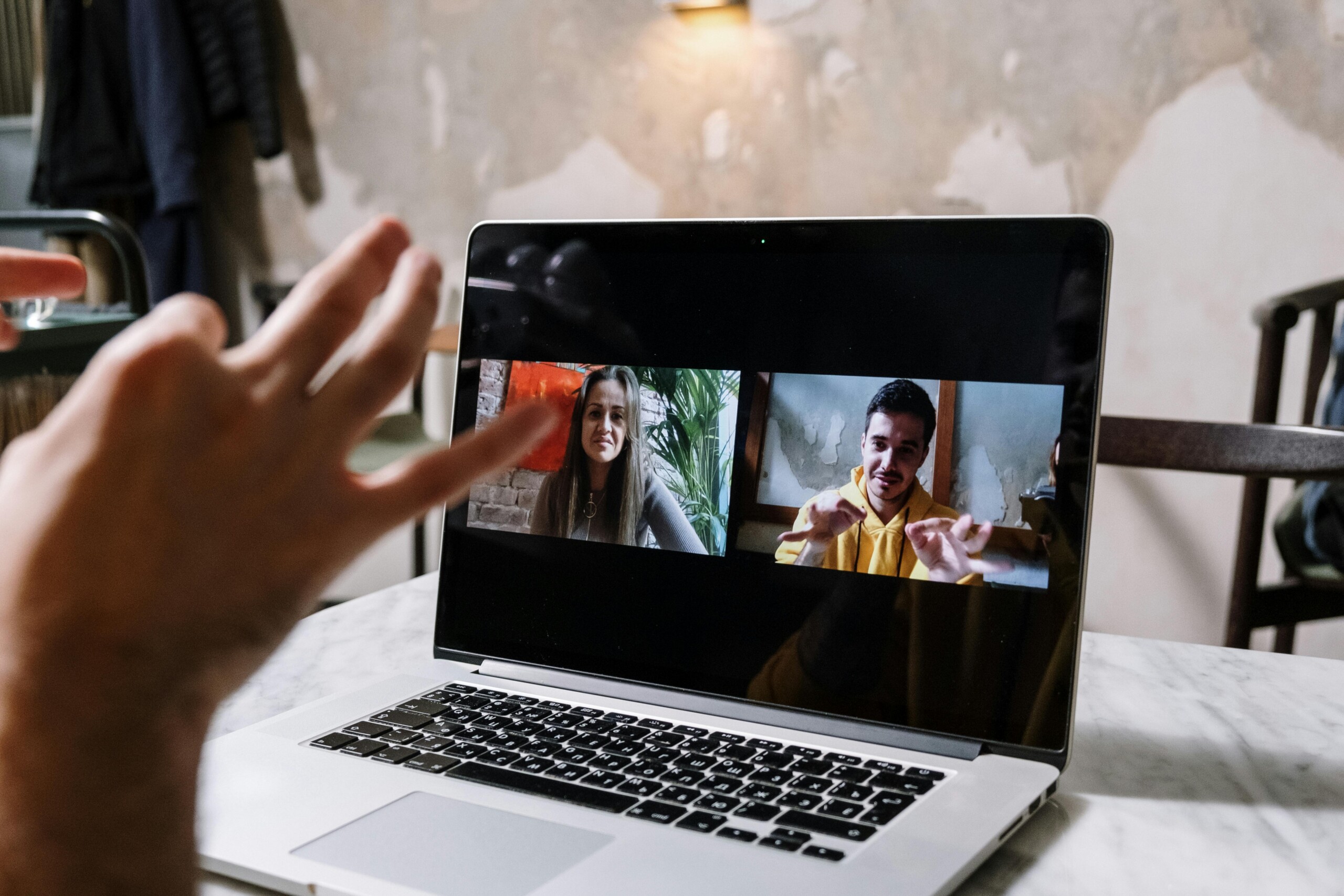
Picture this: a critical client presentation is underway. The slides look sharp, the camera feed is stable, but every third sentence from the presenter drops out, echoes, or dissolves into static. Within minutes, the meeting loses direction. The client asks to reschedule. The opportunity is gone. This scenario plays out in Sydney boardrooms and home offices every single day, and the culprit is rarely the video.
Organisations investing in enterprise collaboration technology are discovering that audio quality in video conferencing deserves at least as much attention as cameras and displays. Businesses exploring video conferencing solutions in Sydney consistently find that when audio breaks down, everything else follows. Getting audio right is not optional. It is the foundation of productive virtual communication.
Audio Quality in Video Conferencing: Why It Matters
Audio quality in video conferencing describes how clearly, consistently, and intelligibly a conferencing system captures and delivers spoken communication during virtual meetings. It covers microphone sensitivity, speaker output, background noise management, and room acoustics.
When these components work together effectively, participants communicate naturally. When they do not, every exchange becomes a friction-heavy effort to reconstruct what was said.
Unlike video, which participants can partially supplement through shared documents or written chat, audio carries the real-time, nuanced substance of a conversation. Tone, emphasis, hesitation, and verbal commitments all travel through sound alone.
Studies in enterprise communication consistently show that audio degradation drives cognitive fatigue faster than equivalent video degradation, because the brain expends significantly more effort reconstructing fragmented speech than compensating for a blurry image.
For enterprise teams running hybrid collaboration across multiple offices, time zones, and device types, this reality matters enormously. A single poor audio experience erodes trust, suppresses engagement, and delays decisions across an entire organisation. Fixing the audio experience is one of the highest-return investments an enterprise IT or AV team can make.
Factors That Affect Audio Clarity in Virtual Meetings
Understanding what degrades virtual meeting sound quality is the first step toward eliminating it. Several interconnected factors determine how clearly participants hear and are heard during virtual sessions.
- Bandwidth and network stability: Unstable or insufficient internet connections cause packet loss, which produces choppy, fragmented audio. Even minor network fluctuations noticeably degrade call quality in real time.
- Background noise: Open-plan offices, air conditioning systems, keyboard activity, and street traffic all compete with the human voice. Without active noise management, these sounds reach the microphone and are transmitted directly into the meeting.
- Device quality: Laptop built-in microphones, consumer headsets, and budget speakerphones lack the signal processing needed for professional environments. They introduce distortion, narrow the captured voice frequency range, and offer minimal noise rejection compared to purpose-built conferencing hardware.
- Room acoustics: Hard reflective surfaces such as glass walls, polished floors, and bare ceilings generate reverberation and echo. These acoustic artefacts travel alongside speech, making conversations significantly harder to follow.
- Microphone placement: Even high-quality microphones underperform when teams position them incorrectly. Distance from the speaker, proximity to hard surfaces, and orientation relative to noise sources all directly affect capture quality.
- Software configuration: Conferencing platform audio settings, including codec selection, sample rates, and echo cancellation controls, often remain at factory defaults that do not reflect the actual hardware or room conditions in use.
Addressing these factors as a system, rather than individually, is what separates a well-performing meeting room from one that consistently frustrates its users.
Best Practices for Optimising Audio in Video Conferences
Improving conference call audio clarity does not always demand a complete infrastructure rebuild. A structured approach to hardware configuration and participant behaviour produces significant gains even within an existing setup.
Microphone placement delivers one of the highest returns for the least cost. Tabletop microphones perform best when teams position them centrally, away from speakerphone units and surface vibration sources.
Ceiling-mounted microphone arrays distribute pickup evenly across the room and eliminate table-surface noise, making them particularly well-suited to boardrooms and larger meeting spaces.
Echo cancellation requires activation at both the hardware and software levels. Modern conferencing DSP units handle echo suppression in real time, but the processing only performs correctly when teams configure it for the specific room dimensions and speaker placement in use.
Additional practices that enterprise AV teams should standardise across their environments include:
- Deploying consistent audio hardware across all meeting rooms to simplify IT management and reduce user experience variability.
- Training participants to mute their microphones when not speaking during larger group calls reduces cumulative background noise throughout the session.
- Scheduling brief audio checks before high-stakes meetings to identify and resolve issues before they affect outcomes.
- Locating meeting rooms away from high-noise building areas during workplace fit-outs, wherever the layout allows.
- Replacing laptop built-in audio with dedicated conferencing speakerphones or ceiling microphone arrays in all formal meeting spaces.
Applying these practices consistently across an enterprise environment shortens meeting durations, reduces disruptions, and improves the reliability of decisions reached in virtual sessions.
How Poor Audio Impacts Team Communication and Productivity
The business costs of poor meeting audio solutions extend well beyond momentary frustration. When audio fails repeatedly, the downstream effects accumulate across teams, projects, and organisational culture.
Miscommunication arrives first. Participants who mishear instructions, decisions, or feedback act on incomplete or incorrect information. In enterprise environments where virtual meetings drive operational decisions, these errors carry measurable financial and reputational risk.
Reduced focus follows closely. When participants strain to hear, their working memory diverts from absorbing content to simply decoding speech. Engagement deteriorates, note quality drops, and the meeting produces less reliable outcomes than an equivalent in-person session would.
Listening fatigue compounds the problem over time. The brain responds to sustained decoding effort under poor acoustic conditions by accelerating mental exhaustion.
Participants disengage earlier, contribute less, and retain less of what the meeting covered. In organisations running multiple virtual meetings each day, this fatigue accumulates across the working week and contributes directly to collaboration burnout.
Hybrid and multicultural teams carry additional burdens. Participants whose first language is not English rely on acoustic redundancy to follow fast-paced conversations. Poor audio strips that redundancy away. Remote participants in hybrid meetings already face a structural disadvantage compared to those physically present in the room. Degraded audio amplifies that gap, reinforcing disengagement and reducing equitable participation across the team.
Organisations that treat audio quality as a productivity investment, rather than a facilities afterthought, consistently report improvements in meeting efficiency, participant satisfaction, and the speed at which teams reach decisions.
Choosing the Right Microphones and Headsets for Meetings
Selecting appropriate audio hardware is one of the most consequential decisions enterprise AV and IT teams make when deploying or refreshing meeting room technology. The right choice depends on room size, use case, and integration requirements.
- USB microphones and headsets provide straightforward connectivity and suit individual workstations and home office setups. They require no additional interface hardware and integrate reliably with standard conferencing software platforms.
- XLR microphones deliver higher audio fidelity and work best in professionally installed meeting rooms where a dedicated audio interface or DSP unit manages signal processing.
- Noise-cancelling headsets perform particularly well in open-plan office environments where background noise is constant and difficult to manage at the room level.
- Wireless microphone systems give participants freedom of movement in larger rooms and training environments, though IT teams need to manage radio frequencies carefully to avoid interference.
- Ceiling microphone arrays represent the current best-practice recommendation for medium to large boardrooms, delivering consistent pickup coverage without occupying table space or picking up surface vibrations.
- Enterprise-grade conferencing speakerphones from manufacturers such as Biamp and Poly combine microphone arrays, speaker output, and DSP processing in a single unit, purpose-built for professional meeting environments.
Advanced Audio Technologies for Seamless Virtual Collaboration
The enterprise collaboration audio tools landscape is advancing rapidly, with new technologies addressing challenges that traditional hardware alone cannot.
AI-powered noise reduction is now available at the software layer across leading conferencing platforms. These systems use machine learning models trained across diverse acoustic environments to separate human speech from background noise in real time.
They suppress unwanted sounds without degrading voice quality, producing cleaner audio with fewer processing artefacts than older filter-based approaches.
Spatial audio technology is emerging in enterprise conferencing platforms, creating a sense of directional sound that maps to participants’ virtual positions in a call. This reduces the cognitive effort of tracking multiple speakers during large group sessions and brings virtual meetings closer to the natural experience of in-person conversation.
Integrated unified communications platforms bring audio management into a centralised environment alongside video, messaging, and file collaboration. IT administrators can monitor audio performance, apply quality standards, and manage hardware configurations across an entire organisation from a single interface, reducing the overhead of managing distributed meeting room environments.
Audio analytics tools are gaining adoption in enterprise settings. These platforms capture data on audio quality metrics, speaking time distribution, and participation patterns.
Collaboration managers use this data to gain objective insight into meeting health and to quantify the return on investment from audio infrastructure upgrades.
As hybrid meeting sound optimisation moves up the priority list for enterprise leadership teams, the technology available to address it becomes both more capable and more commercially accessible than ever.
Conclusion
Audio quality is not a secondary consideration in video conferencing. It is the infrastructure layer on which productive virtual communication depends. Organisations that invest in purpose-built microphones, professionally configured meeting rooms, and advanced audio processing technology create the conditions for clearer decisions, stronger collaboration, and more equitable participation across hybrid teams.
IT managers, AV teams, and facilities managers who evaluate audio infrastructure with the same rigour they apply to video and network technology will find that the returns are both measurable and significant. The starting point is assessing each environment’s requirements, selecting hardware that meets those needs, and partnering with experienced AV professionals to ensure every system is installed and calibrated for the specific space it serves.
FAQs
Why is audio quality more important than video in virtual meetings?
Audio carries the spoken content of every conversation, including tone, intent, and real-time decisions. Poor audio causes miscommunication, listening fatigue, and disengagement that a clear video feed cannot compensate for. In enterprise meetings where teams make verbal commitments and reach binding decisions, audio reliability is the single most critical technical factor determining whether a meeting produces useful outcomes.
How can enterprises improve audio quality in video conferencing?
Enterprises improve audio quality by standardising on purpose-built conferencing hardware, correctly positioning microphones for their room dimensions, activating echo cancellation at both hardware and software levels, and treating room acoustics through appropriate absorption materials.
Which tools ensure clear audio for hybrid teams?
Hybrid teams achieve the most consistent results with ceiling microphone arrays that deliver even room coverage regardless of seating position, AI-powered noise reduction integrated at the platform level, and enterprise-grade speakerphone units with built-in DSP processing. Systems from Biamp and Poly are purpose-designed for business conferencing environments and maintain consistent performance across varying room conditions and participant configurations.
How does poor audio affect productivity?
Poor audio forces participants to divert cognitive resources away from processing content to decoding fragmented speech. This generates listening fatigue, reduces meeting engagement, and produces higher rates of miscommunication and costly follow-up clarification. In organisations running multiple virtual meetings every day, the cumulative productivity cost of poor audio quality across teams is significant and directly measurable in meeting outcomes and employee satisfaction data.
What are the best microphones for enterprise video calls?
The best microphone choice for enterprise video calls depends on the room and the use case. Ceiling-mounted microphone arrays are suitable for medium- to large-sized boardrooms. Tabletop conferencing units work well in small to medium meeting rooms. Individual noise-cancelling USB headsets serve open-plan workstations and home offices effectively. In every case, enterprise-grade hardware with dedicated DSP processing outperforms consumer alternatives across the metrics that matter most in professional meeting environments.