



How Experts Approach Conference Room AV Design for Modern Workspaces?
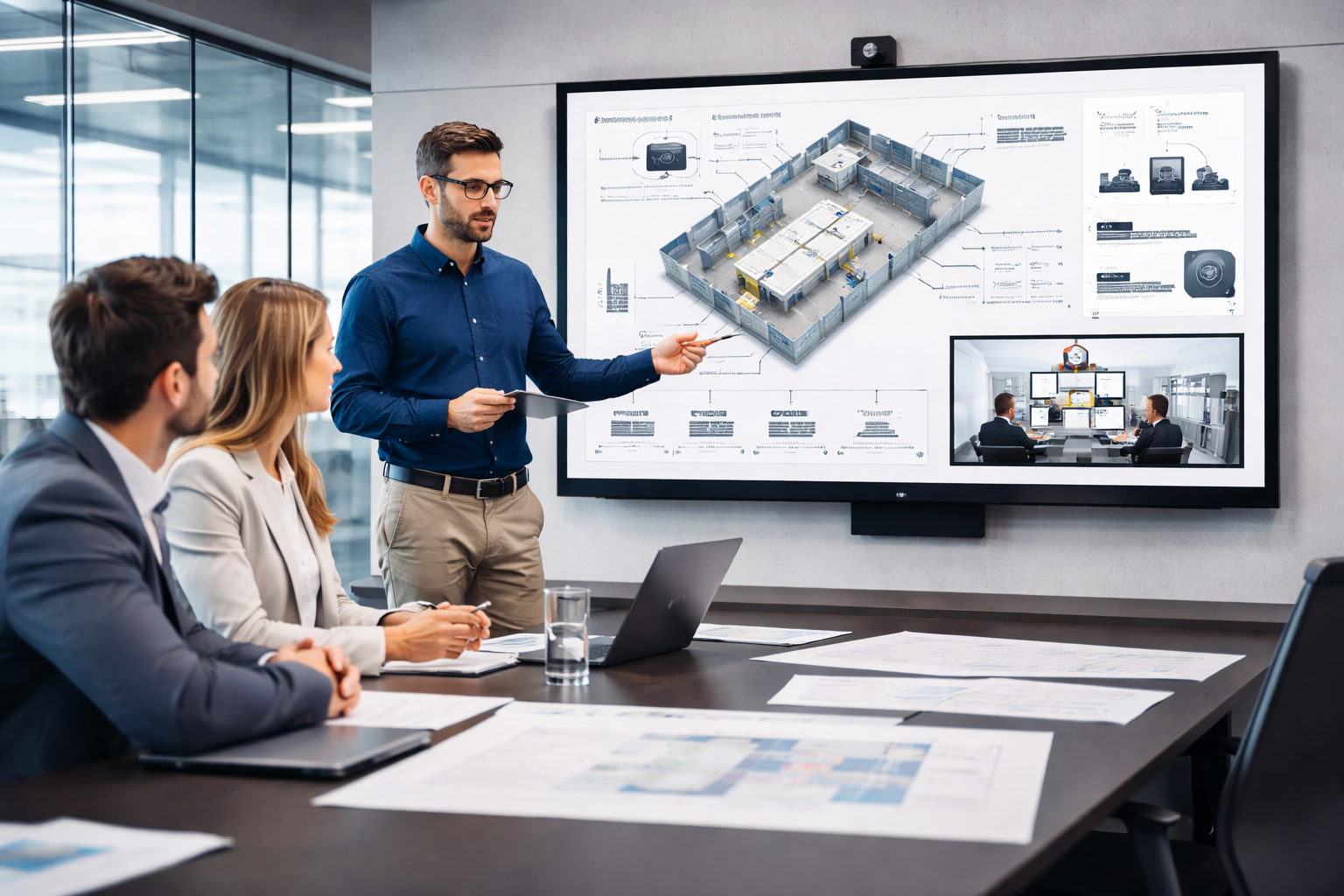
The difference between a conference room that works and one that does not is rarely obvious from a product list.
Two rooms can share identical equipment specifications and produce completely different outcomes, one reliable and professional, the other a recurring source of technical frustration.
The difference is almost always in the design decisions that preceded the installation: how the room was assessed, how the components were specified relative to that assessment, and how the system was integrated and configured as a whole.
Conference room AV design is a discipline, not a checklist. It involves acoustics, display geometry, camera placement, audio coverage, networking, control logic, and security, all resolved in relation to the specific room and the people who will use it.
This guide explains how experienced AV designers approach each of those decisions, with the practical detail that Australian businesses need to evaluate proposals, brief installers, and make confident investments.
Start With a Needs Assessment, Not a Product Catalogue
Every effective conference room AV design begins with a structured assessment of how the room will be used, by whom, and under what conditions.
This is not a formality, it is the foundation on which every subsequent decision rests. The needs assessment covers five areas.
The first is meeting type and frequency: whether the room is primarily used for internal team meetings, client-facing presentations, hybrid video calls, training sessions, or a mix of all four.
Each use case has different display, audio, and camera requirements, and a room specified for one use case will underperform in another.
The second is participant profile: the typical headcount, whether participants are seated at a fixed table or move around the space, whether accessibility affects seating or display placement, and the general level of technical familiarity of daily users.
The third is the existing technology ecosystem: the organization’s video conferencing platform, IT network infrastructure, calendar and room booking systems, and any security or compliance requirements for networked technology.
The fourth is the physical room: dimensions, ceiling height, wall construction, ambient light conditions, HVAC noise levels, and existing cabling infrastructure.
These characteristics determine what the design must work within and what it needs to compensate for.
The fifth is the operational context: who will manage the room when something goes wrong, what the tolerance for downtime is, and whether a maintenance arrangement will be needed to support the system over time.
Skipping or compressing the needs assessment is the single most reliable predictor of a conference room AV design that underperforms relative to the investment made.
The Formula That Determines Everything Else
Display sizing in a conference room is not an aesthetic decision. It is a geometric one, and getting it wrong affects every meeting the room hosts for the life of the system.
The furthest seated participant should be no more than six times the height of the display from the screen for general viewing, and no more than four times the screen height for tasks that require reading detailed text or data..
In practical terms for Australian conference rooms: a room where the furthest participant sits 4.8 metres from the screen requires a display with a height of at least 800 millimetres, which corresponds to approximately a 75 to 80 inch diagonal display in a standard 16:9 format.
A room where the furthest seat is 6 metres from the screen requires a screen height of at least one metre, corresponding to approximately 86 to 90 inches.
Minimum viewing distance is the other constraint. The closest seated participant should be no nearer than the width of the display, approximately 1.67 times the diagonal for a 16:9 screen, to avoid visual discomfort and distortion.
In small rooms where the table is close to the wall, this minimum distance constraint can limit the maximum display size as much as the maximum viewing distance constraint sets the minimum.
Viewing angle is a further consideration. Participants seated at angles greater than 45 degrees from the display centreline will experience colour shift and reduced contrast on many display technologies.
Room layout and display positioning should ensure that no regularly used seat falls outside the 45-degree horizontal viewing cone.
In wide rooms or rooms with non-standard seating arrangements, multiple displays or a video wall configuration may be the appropriate design response rather than attempting to serve the full room from a single off-centre screen.
The Design Element That Determines Audio Quality Before Equipment Is Selected
Room acoustics determine the upper limit of what any microphone or speaker system can achieve. The most expensive audio equipment in the world will underperform in a room with poor acoustic properties, and no amount of signal processing fully compensates for a fundamentally unfavourable acoustic environment.
Reverberation Time
Reverberation time, the time it takes for sound to decay by 60 decibels after a source stops, is the primary acoustic characteristic of a room.
In conference rooms, excessive reverberation makes speech less intelligible, creates an echo-like quality that fatigues listeners, and makes microphone systems work harder to separate the direct voice signal from the reflected sound in the room.
The target reverberation time for a conference room is typically between 0.4 and 0.6 seconds. Rooms with bare concrete ceilings, glass walls, polished floors, and hard furniture will have reverberation times well above this range.
The practical treatment is absorption, acoustic ceiling tiles or panels, carpet or rugs, upholstered seating, and wall-mounted acoustic panels at the primary reflection points.
Background Noise
The second acoustic consideration is background noise, the ambient sound level in the room when it is otherwise silent.
HVAC systems are the most common source of background noise in Australian commercial office environments.
A conference room with a noisy air handling unit directly above it will have a background noise level that microphone systems struggle to work cleanly against, and that remote participants will notice as a constant low-frequency presence in the audio.
Quieter HVAC equipment, properly designed ductwork and diffusers that minimise turbulence noise, and DSP noise reduction configured appropriately for the room’s actual background noise floor.
These decisions are made at the room design stage, retrofitting them is significantly more expensive and less effective than incorporating them from the outset.
Sound Isolation
Sound isolation, the degree to which sound from outside the room is excluded, and sound from inside the room is contained, matters for both meeting privacy and audio quality.
A conference room with inadequate partition sound ratings will allow corridor noise, adjacent meeting room audio, and building services noise to intrude on the meeting environment.
Beyond Screen Size
With the sizing formula applied and the viewing geometry resolved, the display technology decision involves three further considerations: brightness, resolution, and configuration.
Brightness is measured in nits for direct-view displays. A conference room with controlled ambient light requires a minimum of 350 to 500 nits for comfortable viewing.
A room with significant natural light ingress, a glass-walled meeting room in a Sydney CBD tower facing north, may require 700 nits or higher to maintain readability across variable lighting conditions throughout the day.
Commercial-grade displays are available across this brightness range. Consumer televisions are not designed to these specifications and should not be used in professional conference room environments.
Resolution is largely resolved by the display size and the primary content type. For rooms where participants regularly view detailed data, spreadsheets, or engineering drawings, 4K resolution at the appropriate screen size provides the pixel density required for legible detail.
For rooms used primarily for video calls and standard presentation content, 4K is beneficial but 1080p at the correct screen size is adequate.
Configuration, single display versus dual display, is determined by the primary use case. Rooms used regularly for hybrid video meetings benefit significantly from a dual display setup that separates the video call from the shared content. This allows local participants to maintain visual engagement with remote attendees while referencing the presentation material simultaneously.
For rooms used primarily for presentations to in-room audiences, a single display is typically sufficient.
Video conferencing equipment for conference rooms, including commercial display options suited to the full range of meeting environments, is available through Sydney Audio Visual Specialists.
Camera Design
Camera selection and placement in a conference room follow directly from the room dimensions, seating layout, and primary meeting type. The design decisions at this stage determine what remote participants see and how engaged they feel in the meeting.
Field of View and Room Coverage
In small rooms seating up to six participants at a compact table, a wide-angle fixed camera with a horizontal field of view of 90 to 120 degrees typically provides adequate coverage without distortion.
In medium rooms seating six to twelve people, a PTZ camera provides the flexibility to cover the full table width in wide-shot mode and zoom to individual speakers or presentation areas when the meeting requires it.
Auto-tracking functionality, where the camera follows the active speaker automatically using audio cues or computer vision, is increasingly standard at this room level and eliminates the need for manual camera management during meetings.
In large rooms and boardrooms, multiple camera positions may be required. A primary camera at the display end of the room covers the standard meeting configuration, while a secondary camera at the opposite end covers presentations back to the display..
Eye-Level Mounting
Camera height is one of the most consistently underspecified elements of conference room AV design. A camera mounted above eye level produces a downward perspective that creates an unflattering and psychologically dominant dynamic for remote participants. A camera mounted below eye level produces an upward perspective that is equally unnatural.
The target is eye level for a seated participant, typically between 1.1 and 1.3 metres from the floor. In rooms where the display is mounted higher than seated eye level, achieving correct camera placement requires a dedicated camera mount below the display rather than placing the camera on top of it.
This is a mounting and installation detail that needs to be resolved at the design stage, not improvised during the physical installation.
Audio System Design
The audio system in a conference room must achieve three things simultaneously: capture every participant’s voice clearly and consistently regardless of where they are seated, reproduce remote participants’ audio clearly for everyone in the room, and integrate with the DSP to deliver clean, echo-free audio to the video conferencing platform.
Microphone Coverage Modelling
Professional conference room audio design begins with a microphone coverage model, a plan-view assessment of the room that maps the pickup pattern of the proposed microphone solution against the seating layout.
The goal is to ensure every seat falls within the consistent pickup zone of at least one microphone, with no gaps in coverage and no positions where one participant is significantly louder or quieter than others from the remote end’s perspective.
Ceiling microphone arrays provide the cleanest aesthetic result and the most flexible coverage pattern for rectangular rooms with standard table layouts.
Tabletop microphone pods are appropriate where ceiling mounting is not feasible or where the room requires individual control over microphone zones.
Boundary microphones mounted on the table surface are an option for smaller rooms where aesthetics and budget are primary constraints.
Selecting a microphone product and then attempting to make the coverage work around it is a common design error that produces uneven pickup and ongoing audio quality complaints.
DSP Configuration
The DSP is configured after the physical microphone and speaker system is installed and before the system is handed over to the client. Configuration includes setting microphone gain levels, calibrating echo cancellation to the room’s acoustics, applying noise reduction for background noise, and ensuring clear, consistent audio across all seating positions.
DSP configuration is a specialist task that takes time to do correctly. A DSP that has been configured generically, using default settings rather than room-specific calibration, will produce noticeably worse audio quality than one that has been properly tuned. This is one of the most significant quality differentiators between a professional installation and a competent but expedient one.
The Infrastructure Layer That Makes It All Reliable
A conference room AV system that depends on network connectivity, which in 2026 means virtually every system, is only as reliable as the network infrastructure supporting it.
Network design for conference room AV is a specialist area that requires coordination between the AV designer and the organisation’s IT team.
Network Bandwidth and QoS
Video conferencing platforms require dedicated bandwidth that is available consistently, not shared with general office internet traffic in ways that create contention during peak periods.
Quality of Service, QoS, configuration on the network prioritises audio and video conferencing traffic over lower-priority data traffic, ensuring that the conference room system maintains adequate bandwidth even when the office network is under load.
The specific bandwidth requirement depends on the platform, the video resolution, and the number of simultaneous video streams.
A single 1080p video call requires approximately 2 to 4 Mbps of dedicated symmetric bandwidth. A 4K call requires significantly more.
For rooms with multiple simultaneous displays or camera streams, bandwidth requirements increase proportionally.
VLANs and Network Segmentation
Conference room AV equipment, such as cameras, codecs, control systems, and display panels, should be placed on a dedicated VLAN separate from the corporate network to improve security and isolate AV traffic for better performance.
The VLAN configuration should be agreed between the AV designer and the IT team during the design stage. VLAN requirements affect the physical network infrastructure, switch ports, patch panel configuration, and wireless access point placement, and need to be incorporated into the network infrastructure specification before the AV installation begins.
Security Considerations
Conference room AV equipment that is connected to the corporate network is part of the organisation’s IT security perimeter.
Cameras, microphones, and control systems with network connectivity need to be managed with the same security disciplines as other network-connected devices: firmware kept current, default credentials changed at commissioning, network access restricted to required services, and remote management access protected appropriately.
For Australian organisations subject to the Privacy Act, the Australian Signals Directorate’s Essential Eight framework, or sector-specific compliance requirements, the security configuration of conference room AV systems should be reviewed as part of the broader IT security assessment.
Simplicity as the Design Goal
The control system is the interface between the people using the room and the technology serving them. Its design goal is complete simplicity, the user should be able to start a meeting, manage audio, share content, and end the session without any technical knowledge and without needing to interact with any individual component directly.
A well-designed conference room control system uses a touch panel, wall-mounted at the room entry and table-mounted for in-meeting management, that presents only the functions relevant to the current state of the room.
When the room is unoccupied, the panel shows room availability and a one-touch join option for the next scheduled meeting. When a meeting is in progress, it shows call controls, volume adjustment, input selection, and room environment management.
The programming of the control system requires the designer to understand the actual workflows of the people using the room, not to implement a generic template.
A room used primarily for Teams calls with occasional local presentations has a different control workflow than a room used for multi-location video conferences with complex content sharing requirements.
Automation logic reduces friction at the start and end of meetings.
When a meeting begins, the displays power on, the camera adopts its default framing, the audio system activates, and room lighting adjusts to the appropriate level, automatically, as a single-action sequence. When the meeting ends, the system powers down in the correct sequence.
These automations reduce the cognitive overhead of operating the room and eliminate the fumbling start that poorly designed rooms consistently produce.
Common Conference Room AV Design Mistakes
Specifying display size by budget or aesthetics rather than by viewing distance geometry produces under-sized displays that affect every meeting.
Selecting microphone products before completing a coverage model produces pickup gaps that generate persistent audio quality complaints.
Designing the audio system without addressing the room’s acoustic properties first means the audio system must compensate for problems that acoustic treatment would have solved more effectively and at lower cost.
Treating network design as an IT responsibility rather than an AV design input produces network infrastructure that is not configured for the QoS and VLAN requirements of the AV system, which creates reliability problems that appear intermittent and are difficult to diagnose.
Programming the control system to generic templates rather than the specific workflows of the room’s users produces an interface that generates ongoing support requests from people who cannot operate the room confidently.
Commissioning and handover without complete system documentation, as-built drawings, cabling schedules, DSP programming backups, and control system documentation, creates a maintenance and serviceability liability that compounds over the life of the asset.
Speak With Sydney Audio Visual Specialists About Your Conference Room
Ready to design a conference room AV system that works reliably from day one? Explore video conferencing equipment or contact Sydney Audio Visual Specialists to request a consultation tailored to your space. Contact Sydney Audio Visual Specialists
Not sure where your current conference room falls short or what a redesign would involve? Speak with the Sydney Audio Visual Specialists team for honest, practical advice before you commit to any specification. Get in touch today
Frequently Asked Questions
What is conference room AV design?
Conference room AV design is the process of specifying, integrating, and configuring the audio visual systems in a meeting room to create a reliable, professional environment for both in-room and remote participants.
How do you calculate the right display size for a conference room?
The primary formula divides the maximum viewing distance by six to determine the minimum display height, measured to the furthest regularly occupied seat. For example, a seat 4.8 m from the screen requires a minimum display height of 800 mm, roughly 75–80 inches diagonal in 16:9 format.
What viewing angle standards apply to conference room display placement?
Seats positioned more than 45 degrees from the display centreline may experience reduced image quality, including color shift and contrast loss. Displays should be placed so all regularly used seats remain within a 45-degree horizontal viewing cone.
Why do room acoustics matter for conference room AV design?
Room acoustics determine the upper limit of what any audio system can achieve. Excessive reverberation, caused by hard, reflective surfaces, makes speech less intelligible and forces microphone systems to work harder to extract the direct voice signal from the reflected sound in the room.
What is a DSP and why is it essential in a conference room audio system?
A Digital Signal Processor manages audio between microphones and the video conferencing platform, performing echo cancellation, noise reduction, gain control across microphone zones, and level balancing to ensure clean, consistent audio for all participants.
How should conference room AV systems be connected to the corporate network?
Conference room AV equipment should be on a dedicated VLAN separate from the corporate network, enhancing security and performance by isolating AV traffic and limiting exposure of cameras and control systems. Quality of Service should prioritize audio and video traffic to ensure consistent bandwidth during peak usage.
What security considerations apply to networked conference room AV equipment?
Networked conference room AV equipment, cameras, codecs, control systems, should be treated as part of the organisation’s IT security perimeter. This means firmware kept current, default credentials changed at commissioning, network access restricted to required services, and remote management access appropriately protected.
What is the role of the control system in conference room AV design?
The control system connects users to the room’s technology. Its goal is to make complex systems simple to operate, allowing anyone to start a meeting, manage audio, share content, and end the session without technical knowledge.
How long does a professional conference room AV design and installation take?
A straightforward installation in a room with good existing infrastructure may be completed in one to two days. A complex design involving significant acoustic treatment, custom mounting, DSP calibration, and control system programming will take longer.
What should be included in the handover documentation for a conference room AV installation? Complete handover documentation includes as-built drawings, cabling and equipment schedules, DSP and control system programming backups, and end-user operating instructions.
About Sydney Audio Visual Specialists
Sydney Audio Visual Specialists provides tailored audio visual solutions including AV equipment hire, product sales, installation, repair, and maintenance. The team supports a wide range of client types and environments, including schools, boardrooms, hotels, meeting rooms, auditoriums, showrooms, commercial shopfronts, and corporate facilities, with a focus on reliable service and honest advice.